machine News

How Roller Condition Impacts Paper Quality Secretly

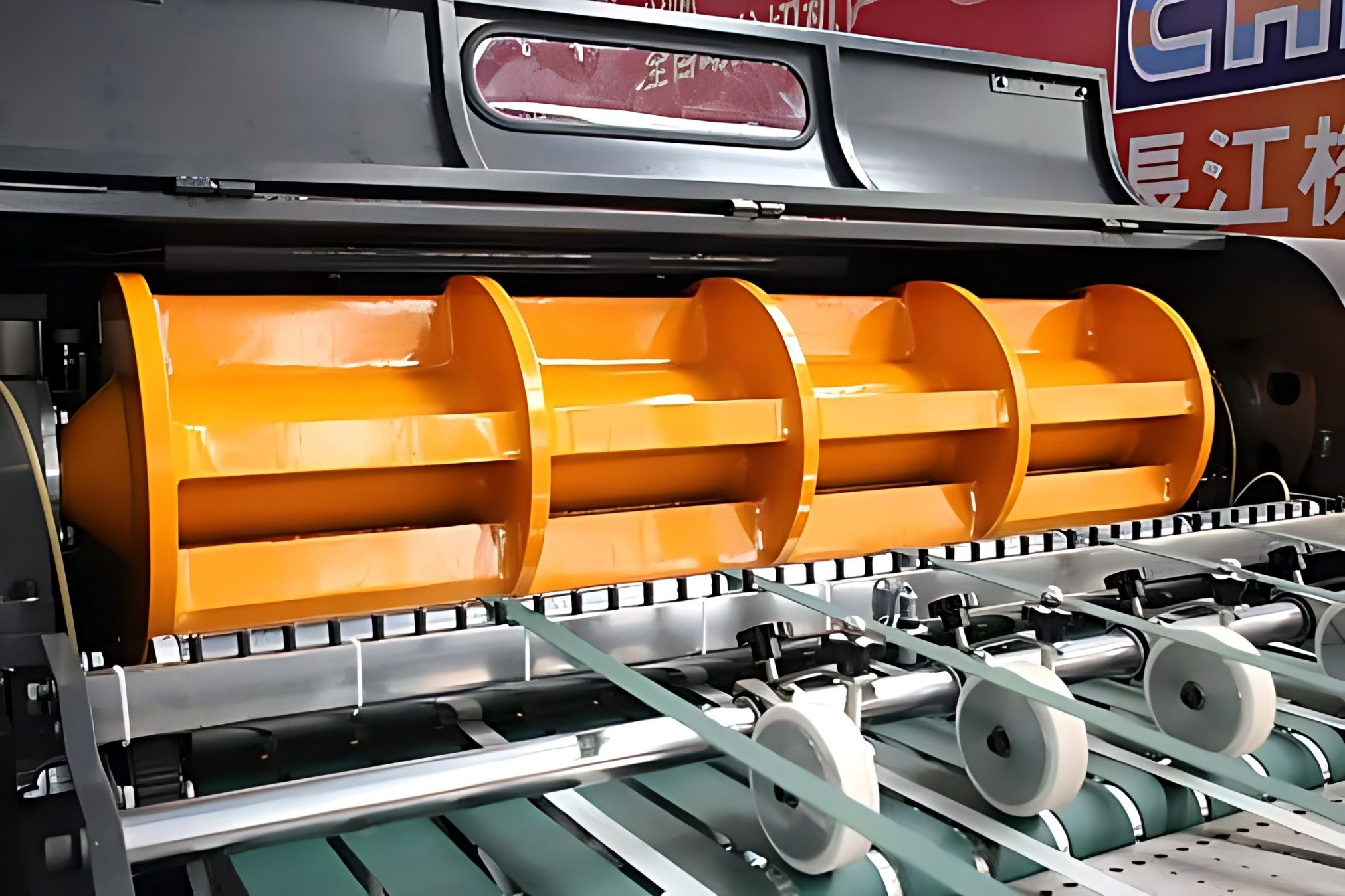
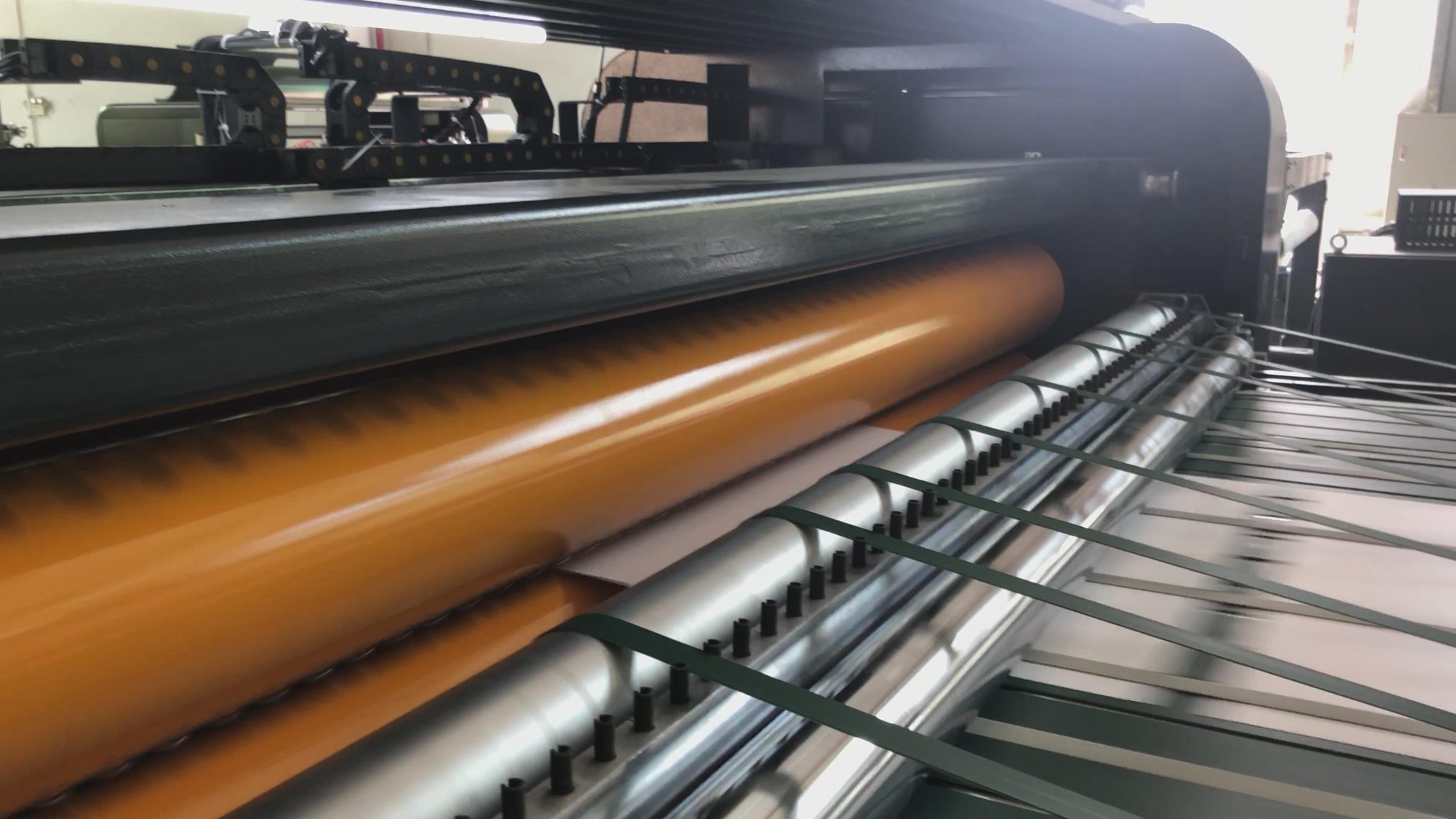
Rollers are one of the most underestimated components in a sheeting line.
Attention is usually placed on cutting units, motors, and control systems, while rollers are expected to “just work.”

In reality, rollers directly affect how paper moves through the machine.
When their condition is not stable, problems appear gradually—often without being immediately traced back to the rollers themselves.

Why Rollers Matter More Than Expected

Every stage of the process depends on controlled paper movement.
Rollers are responsible for:

  • feeding the paper forward
  • maintaining traction
  • supporting stable tension
  • guiding the web through different sections

If any of these functions become inconsistent, the impact will show up in product quality.

Common Roller-Related Issues

1. Surface Wear
Over time, roller surfaces lose their original friction characteristics.

When grip decreases:

  • paper may slip slightly during transport
  • feed accuracy becomes inconsistent
  • sheet length may begin to vary

This issue often develops slowly, making it difficult to detect early.

2. Contamination Build-Up
Dust, paper fibers, coating residue, or adhesive can accumulate on roller surfaces.

This leads to:

  • uneven contact across the roller width
  • inconsistent feeding force
  • localized slipping or drag

In some cases, contamination creates small but repeated disturbances in paper movement.

3. Misalignment
Even a slight deviation in roller alignment can affect web behavior.

If rollers are not parallel:

  • the paper may drift to one side
  • tension becomes uneven across the width
  • edge quality and cutting position are affected

These problems are often mistaken for guiding or tension issues, while the root cause lies in mechanical alignment.

Why These Problems Are Often Overlooked

Roller-related issues rarely cause immediate failure.
Instead, they introduce small variations into the process.

Operators may respond by adjusting tension, guiding, or speed, without realizing that the underlying problem remains.
This leads to repeated corrections without long-term improvement.

Impact on Final Product Quality

When roller condition is not consistent:

  • sheet length accuracy becomes unstable
  • wrinkles or waviness may appear
  • edge alignment can drift
  • stacking quality may decline

These effects are cumulative and become more visible during long production runs.

Maintaining Stable Roller Performance

To avoid these issues, roller condition should be part of routine maintenance rather than occasional inspection.

Key practices include:

  • regular cleaning to remove dust and residue
  • checking surface wear and replacing when necessary
  • verifying alignment across the full width
  • monitoring feeding consistency during operation

Consistent maintenance helps prevent gradual quality loss.

Conclusion

Rollers may seem like simple mechanical parts, but they play a critical role in process stability.
Small issues—wear, contamination, or misalignment—can lead to noticeable quality problems over time.

Maintaining roller condition is not just maintenance work; it is a necessary step to ensure stable feeding, consistent tension, and reliable cutting results.

What Really Limits Your Daily Production Capacity

When daily output falls short, the first reaction in many factories is to question the sheeter.
Speed settings are checked, operators try to run faster, and adjustments are made on the main machine.

In practice, however, the sheeter is rarely the true bottleneck—especially in lines that are already capable of high-speed operation.
What limits capacity is usually everything that happens after the sheets are cut.

Why the Sheeter Is Often Not the Problem

Modern sheeters are designed to run at stable, high speeds under normal conditions.
If the downstream process cannot keep up, the sheeter is forced to slow down or stop intermittently.

This creates a false impression that the machine itself is underperforming, when in fact it is being constrained by the rest of the line.

Three Common Capacity Limiters

  1. Packing Cannot Match Output
    Packing is one of the most frequent bottlenecks.

If wrapping, counting, or sealing is slower than cutting:

  • finished sheets begin to accumulate
  • operators must pause upstream production
  • temporary storage or manual handling increases

Even small mismatches in speed between cutting and packing will reduce total daily output.

  1. Unstable or Inefficient Stacking
    Stacking issues do not always stop the line, but they reduce effective speed.

When stacking is inconsistent:

  • operators intervene to correct alignment
  • stacks need to be reworked before packing
  • machine speed is reduced to maintain acceptable quality

Over time, these small slowdowns add up to a significant loss in capacity.

  1. Material Handling Delays
    Handling of rolls, pallets, and finished goods is often overlooked.
  • Typical delays include:
  • slow roll loading or changeover
  • manual pallet replacement

congestion in moving finished products out of the line

These interruptions may seem minor, but they directly reduce available production time.

The Hidden Impact of Small Losses

None of these issues alone may appear critical.
However, when combined across a full shift:

  • short stops accumulate
  • machine utilization drops
  • actual output falls well below theoretical capacity

This is why some lines running all day still produce less than expected.

What Improves Real Capacity

Increasing daily output is not only about increasing speed.
It requires balancing the entire process so that each section supports continuous flow.

In a well-coordinated line:

  • cutting, stacking, and packing operate at matched speeds
  • material handling is smooth and predictable
  • interruptions are minimized

The result is higher effective production without overloading any single machine.

Practical Outcome

When bottlenecks are addressed across the full line:

  • production runs longer without interruption
  • output becomes more predictable
  • operator workload is reduced
  • overall efficiency improves without pushing equipment to its limits

Conclusion

If your daily production capacity is lower than expected, the cause is rarely just the sheeter.
The real constraints are usually found in packing, stacking, and material handling.

Improving capacity requires looking at the entire workflow, not just the main machine.
When the line is balanced, output increases naturally and sustainably.

How to Run Thin Paper Without Wrinkles | Practical Experience

If you’ve ever run thin paper on a sheeting line, you know it’s a pain. Especially stuff like 28 to 60 gsm Bible paper, release liner, or silicone-coated grades. Even a tiny change in tension or a slight bump in handling – and it goes crazy.

Unlike thick paper, thin paper has almost no stiffness. So it can’t absorb any tension changes or transport fluctuations. Any small instability gives you wrinkles, waves, or a web break right away.

Why is it so touchy? Three real-world reasons:

  • It stretches easily under tension.
  • It can’t handle compression or bending.
  • Coatings like silicone make friction uneven.

That’s why settings that work fine for regular paper often fail on thin stock.

From running this stuff day to day, three things matter most if you want it to run stable.

First, keep tension low and steady. Thin paper hates sudden force changes. Too high or fluctuating tension – you get wrinkles across the web, uneven edges, or breaks. The trick isn’t just low tension. It’s steady tension. That means compensating for roll diameter changes, and no hard accelerating or decelerating.

Second, guide it gently. The edge guide has to correct position without pulling on the web. If the guiding force is uneven or too aggressive, one side gets tighter than the other. That gives you diagonal wrinkles or distortion, and the feeding into the cut-off gets unstable. With thin paper, you want precise but smooth guiding – keep alignment without adding stress.

Third, make sure the whole transport path is smooth. Worn or rough rollers will cause problems. So will mismatched speeds between sections, or sudden direction changes. The paper can catch, shift, or compress, and you see visible defects. A clean, well-maintained, synchronized system is not optional.

Beyond those main things, a few practical details also mess with thin paper:

  • Humidity changes affect how the paper behaves.
  • Static electricity makes handling harder.
  • Bad setup when loading the roll can introduce instability from the start.

Sometimes operators see thin paper run fine at first, then start acting up later. Usually it’s not one big fault – just a gradual drift in one of those conditions.

When you get it right, what does stable production look like? The web stays flat and stable all the way. No wrinkles even on long runs. Cutting and stacking are consistent. The operator barely has to touch anything. And you can run at real production speeds without losing quality.

Bottom line – thin paper isn’t like regular paper. You can’t just use standard settings and rough control. You need a stable, balanced process where tension, guiding, and transport are all carefully managed.

Get those right, and it’ll run.

Why Your Line Looks Busy but Output Is Low | Practical Analysis

It’s common to see a production line running all day with operators constantly moving, adjusting, and handling materials.
On the surface, everything looks active. But when you check the actual output, the numbers don’t match the effort.

This gap between activity and real productivity is a frequent issue in paper converting plants.

Pallet truck for transporting roll paper

Activity Does Not Equal Output

A line can be “busy” for many reasons that don’t contribute to finished product.
Operators may be:

  • moving stacks between sections
  • correcting alignment issues
  • waiting for the next step to catch up
  • handling small interruptions

All of this creates motion, but not necessarily usable output.

Where Efficiency Is Actually Lost

Based on practical production observations, low output in a busy line usually comes from three areas.

1. Excessive Manual Handling
When too many steps depend on manual work, speed becomes limited by people rather than machines.

Typical examples include:

  • manual counting and sorting
  • repositioning stacks
  • repeated adjustments between processes

Even if each step only takes a short time, the cumulative effect reduces overall throughput.

2. Unbalanced Workflow Layout
Layout design directly affects how materials move through the factory.

If the process is not well arranged:

  • raw materials travel longer distances than necessary
  • semi-finished products are temporarily stored and moved again
  • finished goods require additional handling before shipment

These extra movements do not add value but consume time and labor.

3. Frequent Small Interruptions
Short stops are often overlooked because they seem minor.

In reality, they are one of the biggest sources of lost efficiency.
These include:

  • minor jams
  • repeated parameter adjustments
  • sample checks and corrections
  • coordination delays between sections

Individually, each stop may last only a few minutes. Over a full shift, they significantly reduce effective production time.

Why the Problem Persists

Many operations try to solve these issues by adding more operators or increasing machine speed.
In most cases, this does not improve output.

If the process itself is not smooth, increasing speed only creates more instability, and adding labor increases complexity without fixing the root cause.

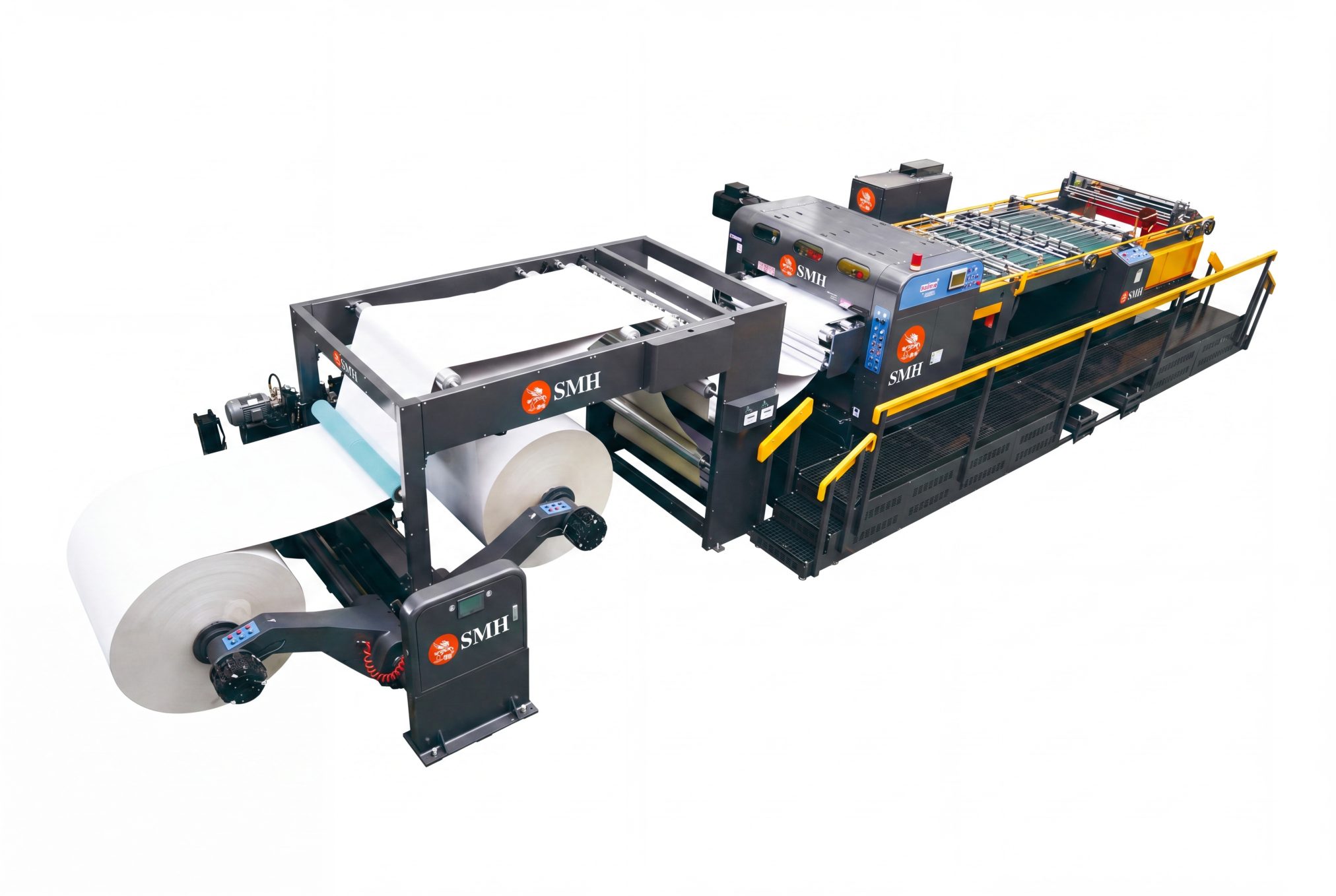
SMH A4 Paper Cutting and Packaging Machine

What an Efficient Line Looks Like

A high-efficiency line is not defined by how busy it appears, but by how smoothly it runs.

In a well-structured process:

  • material flows continuously from one step to the next
  • each section is matched in capacity
  • manual intervention is minimized
  • interruptions are rare and controlled

The result is steady, predictable output rather than fluctuating performance.

Practical Outcome

When workflow and process balance are improved:

  • total output increases without raising nominal speed
  • operator workload becomes more manageable
  • product quality becomes more consistent
  • planning and delivery become more reliable

Efficiency comes from reducing unnecessary actions, not increasing activity.

Conclusion

A busy production line is not always a productive one.
If output remains low despite constant activity, the issue lies in process design, not effort.

Real efficiency is achieved when the entire line operates as a coordinated system, where each step supports continuous flow rather than interrupting it.